Website Design for Small Businesses: Practical Steps
Website Design for Small Businesses: Practical Steps

Website design is the practice of planning and shaping a site’s structure, visuals, and user experience to meet a clear business goal. For small businesses and creators, that means one practical decision right now: either take the DIY path using no-code tools and templates (fast to launch, best for simple needs), or work with a professional for a done-for-you build that aligns messaging, structure, and search visibility from day one. The DIY path gets you online in days. The professional path gets you a site built to grow.
Table of Contents
- What website design actually covers (and how it differs from development)
- The website design process: phases, deliverables, and timelines
- Which tools should you use for your website?
- Core design principles every site needs
- Where to find design inspiration and templates
- What does website design cost?
- DIY vs. hiring a professional: how to decide
- How Moderatemurmurations approaches website design for small businesses
- Your pre-launch checklist
- Website design trends and emerging technologies worth knowing
- Legal considerations you cannot skip
- SEO basics that belong in the design phase, not after
- UX principles that keep visitors engaged
- Key Takeaways
- The part most guides leave out
- Ready to build a site that works for your business?
- Useful resources for going deeper
What website design actually covers (and how it differs from development)
Web design covers the planning, layout, visual system, interaction design, and user experience that shape how a site looks and feels. Web development, by contrast, handles the technical implementation: the code, server logic, databases, and infrastructure that make a site function. Designers shape the experience; developers build the systems that run it.
In practice, the disciplines overlap, especially on smaller projects where one person or a small team handles both. But understanding the split helps you scope work clearly and ask the right questions when hiring.
The core disciplines inside web design include:
- Information architecture: How content is organized, labeled, and navigated so visitors find what they need quickly.
- Visual design: Typography, color, spacing, and imagery that communicate your brand and guide attention.
- Interaction design: How buttons, forms, menus, and transitions behave when a visitor engages with them.
- Content strategy: What you say, in what order, and how it supports your business goals. A strong content strategy shapes every page before a single pixel is placed.
- Accessibility: Designing so people with disabilities can use your site, which also improves usability for everyone.
Front-end development focuses on HTML, CSS, and JavaScript, while back-end development handles server logic, databases, and infrastructure. When you hire a designer, confirm upfront who handles which layer.
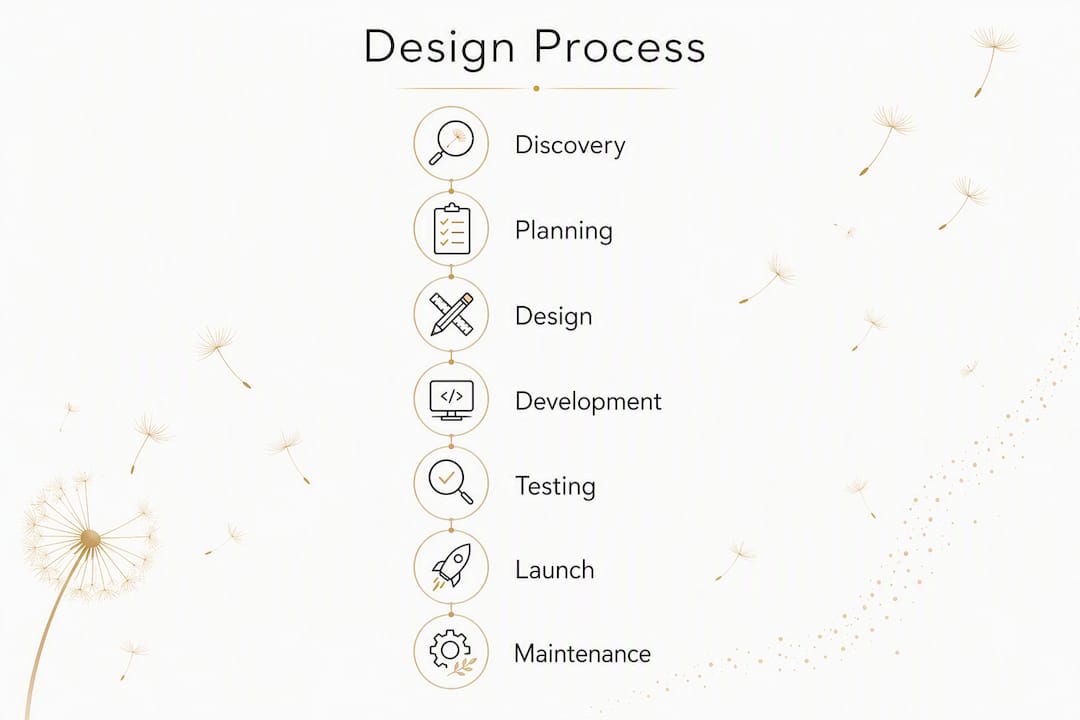
The website design process: phases, deliverables, and timelines
A well-run project follows a clear sequence. Skipping phases, especially discovery and content planning, is the most common reason small-business sites get rebuilt within two years.
- Discovery and goals: Define business objectives, target visitors, key actions (calls, bookings, purchases), and success metrics. Deliverable: a written project brief.
- Information architecture and wireframes: Map the site structure with a sitemap, then sketch page layouts as low-fidelity wireframes. Deliverable: sitemap, wireframe set.
- Visual design and prototyping: Apply brand colors, typography, and imagery to wireframes. Build a high-fidelity prototype for client review. Deliverable: style guide, clickable prototype.
- Content and SEO setup: Write or finalize copy, optimize page titles and meta descriptions, set up URL structure, and add structured data where relevant. Deliverable: content guide, SEO brief.
- Development and integration: Build the site in the chosen platform, connect third-party tools (forms, booking, payments), and configure the CMS. Deliverable: staging site, CMS configuration.
- Testing: Check accessibility, cross-browser compatibility, and performance including Core Web Vitals basics. Deliverable: test report.
- Launch: Move from staging to live, redirect old URLs if needed, and submit to Google Search Console. Deliverable: live site, redirect map.
- Maintenance: Schedule regular backups, CMS updates, and content refreshes. Deliverable: maintenance plan.
| Project type | Typical timeline |
|---|---|
| Single landing page | a short period |
| Brochure site (several pages) | several weeks |
| Content-driven site (blog, resources) | several weeks |
| E-commerce starter | an extended period |
Pro Tip: Finalize your core copy before visual design begins. Placeholder text leads to layouts that break when real words are added, which means redesigning sections you already approved.
Which tools should you use for your website?
The right tool depends on your skill level, budget, and how much the site needs to grow. Here is a plain breakdown of the main categories.

| Category | Best for | Trade-offs |
|---|---|---|
| No-code site builders (Wix, Squarespace) | Fast launch, non-technical owners | Limited scalability, platform lock-in |
| CMS platforms (WordPress) | Content-heavy sites, long-term flexibility | Requires more setup and maintenance |
| Visual design tools (Figma, Canva) | Prototyping, brand assets, template customization | Not publishing platforms on their own |
| Hosted web platforms (Webflow) | Design control without heavy coding | Steeper learning curve than basic builders |
| Developer frameworks | Custom functionality, enterprise needs | Requires technical expertise |
| Testing and analytics tools | Performance, behavior tracking | Needs configuration and ongoing review |
Wix suits small businesses that need a presentable site quickly without technical help. Its drag-and-drop editor and app marketplace cover most basic needs, though customizing beyond its templates gets restrictive.
Squarespace is a strong choice for visual brands, photographers, and service providers who want polished templates with minimal setup. Its e-commerce tools are solid for starter stores.
WordPress powers a large share of the web and offers unmatched flexibility through plugins and themes. The trade-off is that you manage hosting, updates, and security yourself, or pay someone to do it.
Webflow sits between a visual builder and a development environment. It gives designers precise control over layout and interactions without writing code, and its CMS handles structured content well. AI-assisted tools can speed production, but they need to be guided by a clear messaging strategy or the output lacks direction.
Figma is the standard prototyping and UI design tool for professional designers. It is not a publishing platform, but it is where most serious design work happens before development begins.
Canva works well for non-designers who need to create graphics, social assets, or simple one-page sites. It is not a substitute for a full site build, but it is a practical tool for brand asset creation.
You can mix approaches. Many small businesses start with a Squarespace or Wix template, then bring in a developer to extend functionality as they grow. That hybrid path is often the most cost-effective route.
Core design principles every site needs
Good design is not about aesthetics. It is about reducing friction so visitors do what you want them to do.
- Responsive fluidity: Design content to flow across devices rather than targeting fixed widths. A layout that works only on desktop is a broken layout for more than half your visitors.
- Accessibility: Add alt text to images, use semantic heading structure (H1, H2, H3 in order), confirm keyboard navigation works, and check color contrast ratios. The Web Content Accessibility Guidelines (WCAG) set the standard most U.S. businesses should meet.
Responsive web design uses fluid grids, flexible images, and CSS media queries so content adapts to any screen size. Practical techniques include the srcset attribute for images and the viewport meta tag, both of which prevent bandwidth waste on mobile.
Design quality directly affects whether visitors trust your business. Industry analyses consistently show that perceived credibility is tied to visual design quality, not just content. A poorly designed site signals risk to a potential client before they read a single word.
Where to find design inspiration and templates
Starting from a blank canvas is rarely the right move. Good designers use references, and you should too.
- Dribbble and Behance: Strong for visual inspiration, especially for layout ideas and creative website layouts. Use them to identify styles you like before briefing a designer or choosing a template.
- Awwwards: Showcases award-winning sites. Useful for understanding what “excellent” looks like, though many examples are too complex for small-business needs.
- Squarespace, Webflow, and WordPress template libraries: Practical starting points with real performance data behind them. Filter by industry to find layouts built for your type of business.
- Figma Community: Free UI kits and component libraries that designers use to build prototypes faster.
- Google Fonts and Adobe Fonts: Typography starting points that pair well with most template systems.
When evaluating a template, check these five things:
- Does the layout fit your content volume (few pages vs. many)?
- Can you change colors, fonts, and imagery without breaking the design?
- Is it mobile-responsive out of the box?
- Does it load quickly on a basic connection?
- Is it built with accessible markup (semantic HTML, proper heading order)?
Adapting a template so it feels like yours comes down to three moves: apply your brand colors and typography consistently, replace stock photos with real images of your work or team, and rewrite every headline so it speaks directly to your specific visitor.
What does website design cost?
Costs vary widely based on complexity, who does the work, and what is included. These ranges reflect typical U.S. market pricing for small-business projects.

| Project type | DIY / template | Freelancer | Agency |
|---|---|---|---|
| Landing page | platform fees or free | modest freelancer budget | typical agency budget |
| Brochure site (3–6 pages) | moderate platform fees | mid-range freelancer budget | mid-range agency budget |
| Content-driven site | moderate platform fees | elevated freelancer budget | higher agency budget |
| E-commerce starter | moderate platform fees | substantial freelancer budget | substantial agency budget |
The primary cost drivers are custom design work, number of pages, third-party integrations, e-commerce functionality, content production, SEO setup, and ongoing maintenance.
A sample cost breakdown for a typical small-business brochure site built by a freelancer:
- Discovery and strategy: a modest budget
- Visual design (multiple pages): moderate budget
- Development and CMS setup: moderate budget
- Copywriting: moderate budget
- Hosting (first year): typical hosting fees
- SEO basics and launch: moderate budget
- First-year maintenance plan: moderate budget
To get comparable quotes, ask every provider for a detailed scope of work, not just a total price. Watch for these hidden costs:
- Stock photo licenses billed separately
- CMS training not included in the project fee
- Hosting and domain managed by the agency (you lose access if you leave)
- Revisions capped at one round
- No post-launch support window
DIY vs. hiring a professional: how to decide
The right choice depends on where your business is, not on which option sounds more impressive.
- Clarify your business goal. A site that needs to book clients, sell products, or rank in search requires more precision than a simple online presence.
- Set a realistic budget. If your budget is under $1,000, a well-chosen template on Squarespace or Wix is a better investment than a rushed custom build.
- Assess your timeline. DIY can go live in days. A professional build takes weeks. If you need something live this week, start with a template and upgrade later.
- Evaluate your content readiness. No designer can build a great site without real copy and images. If your content is not ready, a professional will wait (and charge) while you write it.
- Consider your technical comfort. Managing WordPress updates, backups, and plugins is a real ongoing task. If that sounds like a burden, a managed platform or a professional with a maintenance plan is worth the cost.
- Think about measurement. If you need to track conversions, run A/B tests, or integrate a CRM, a professional setup will save you significant time and frustration.
When DIY makes sense: You have a simple service, a clear message, a small budget, and time to learn the platform.
When hiring a pro is the better investment: You are launching a business, rebranding, need e-commerce, want to rank in search, or have tried DIY and the site is not converting. A well-designed site plays a direct role in client acquisition, and a professional build makes that connection deliberate.
Questions to ask a designer or agency before hiring:
- What does your process look like from brief to launch?
- What deliverables will I own at the end of the project?
- Will you train me on the CMS?
- Who owns the domain and hosting account?
- What happens if I need changes after launch?
- How do you handle performance and Core Web Vitals?
Red flags in proposals: vague scope with no page count, no mention of testing, no post-launch support, and portfolios with no case studies or results.
How Moderatemurmurations approaches website design for small businesses
Moderatemurmurations combines AI-assisted design drafts with human-led strategy, content refinement, and CMS setup to get small businesses online faster without sacrificing quality. Professional-grade results require more than drag-and-drop: the best sites combine performance optimization with intentional brand architecture and content, which is exactly the gap this approach fills.
The typical project workflow:
- Week 1: Discovery call, written brief, sitemap, and content guide delivered.
- Week 2–3: AI-assisted visual drafts reviewed and refined with client input; prototype approved.
- Week 3–4: CMS build, content integration, SEO basics, and third-party connections.
- Week 4–5: Testing, revisions, and launch preparation.
- Launch week: Live site, Google Search Console setup, analytics configuration, and a short CMS training session.
Deliverables on every project include a written brief, sitemap, high-fidelity prototype, content guide, CMS configuration, launch support, and a training session. Optional ongoing support covers content updates, backups, and AI workflow setup for teams that want to manage their own content efficiently after launch.
Client collaboration is structured but light. You review and approve at three points: brief, prototype, and staging site. Between those checkpoints, the work moves without waiting on you.
Pro Tip: Bring your three best competitors’ URLs to the discovery call. Knowing what you want to look different from is as useful as knowing what you like.
Your pre-launch checklist
Use this in order. Do not skip the testing phase because you are eager to go live. A broken form or a missing meta description on launch day costs more to fix than it would have to catch.
- Content QA: Every page has final copy, real images, and no placeholder text.
- Accessibility check: Alt text on all images, heading hierarchy correct, color contrast passes WCAG AA, keyboard navigation works.
- Performance test: Run PageSpeed Insights on at least three pages. Address any Core Web Vitals failures before launch.
- SEO basics: Page titles and meta descriptions written for every page, URL slugs clean, XML sitemap generated, robots.txt configured.
- Analytics setup: Google Analytics 4 installed and verified, goals or conversion events configured.
- Backups: Confirm your hosting or platform has automated backups enabled.
- Cross-browser and device testing: Check Chrome, Firefox, Safari, and Edge. Test on a real phone, not just a browser simulator.
- Form and payment testing: Submit every form, complete a test transaction if e-commerce is live.
- Redirects: If replacing an existing site, map old URLs to new ones and confirm redirects work.
- DNS and SSL: Confirm the domain points to the right server and the SSL certificate is active (HTTPS, no browser warnings).
| Post-launch action | When to do it |
|---|---|
| Monitor analytics for traffic and errors | Days 1–7 |
| Fix any live bugs reported by real visitors | Days 1–7 |
| Announce the launch (email, social) | Day 1 |
| Schedule first content update | Week 2–4 |
| Confirm backup ran successfully | Week 1 |
For a more detailed version of this list, the website launch checklist for small businesses covers additional edge cases worth reviewing before you go live.
Website design trends and emerging technologies worth knowing
AI-driven design tools are the most significant shift in the field right now. Platforms like Figma now include AI features that generate layout suggestions, auto-resize components, and write placeholder copy. Standalone tools can produce a full site draft from a text prompt. The speed gain is real. The quality gap closes when a strategist guides the output rather than publishing it directly.
Voice user interfaces (VUIs) are growing in relevance as voice search and smart speakers become standard. Designing for voice means structuring content so it answers questions directly, which overlaps with good SEO practice. Conversational page structure, clear FAQ sections, and concise answers near the top of pages all support voice discovery.
Other trends with practical relevance for small businesses:
- Dark mode support: CSS media queries can now detect a visitor’s system preference and serve a dark or light version of your site automatically.
- Micro-animations: Subtle motion on hover states, loading indicators, and scroll-triggered reveals improve perceived quality without slowing the page.
- Component-based design systems: Even small sites benefit from a documented set of reusable components (buttons, cards, forms) that keep the design consistent as the site grows.
- AI-assisted content personalization: Early-stage tools can serve different headlines or CTAs based on traffic source or behavior. Worth watching, though most small businesses are not ready to implement this yet.
Legal considerations you cannot skip
A U.S. small-business website has several legal requirements that are easy to overlook during the design process. Addressing them at launch is far simpler than retrofitting them later.
Privacy policy: Required if you collect any personal data, including email addresses via a contact form or analytics data via cookies. Your privacy policy must disclose what data you collect, how you use it, and how visitors can request deletion. State laws, including the California Consumer Privacy Act (CCPA), add specific requirements for businesses serving California residents.
Cookie notice: If you use Google Analytics, advertising pixels, or any tracking technology, you need to inform visitors and, in some cases, obtain consent. A simple cookie banner with an opt-out option covers most small-business needs.
ADA compliance: The Americans with Disabilities Act applies to websites in the U.S., and courts have consistently ruled that business websites must be accessible to people with disabilities. WCAG 2.1 Level AA is the practical standard. ADA website compliance covers what small businesses specifically need to address, including image alt text, keyboard navigation, and color contrast.
Terms of service: Not legally required for all sites, but advisable if you sell products, offer subscriptions, or allow user-generated content.
Copyright: Use only images and fonts you have licensed or own. Stock photo subscriptions (Adobe Stock, Unsplash for commercial use) and Google Fonts are safe starting points.
This is general information, not legal advice. Confirm current requirements with a qualified attorney or your state’s business resources.
SEO basics that belong in the design phase, not after
SEO is not a layer you add after a site is built. The decisions made during design, including URL structure, heading hierarchy, page speed, and content organization, determine how well a site ranks before a single backlink is earned.
The fundamentals to build in from the start:
- Clean URL structure: Use descriptive, lowercase slugs (
/services/web-design, not/page?id=42). Set this before launch; changing URLs after indexing requires redirects. - Heading hierarchy: One H1 per page, followed by H2s and H3s in logical order. Search engines use heading structure to understand page content.
- Page titles and meta descriptions: Write a unique title (50–60 characters) and meta description (120–160 characters) for every page. These appear in search results and affect click-through rates.
- Image optimization: Compress images, use descriptive file names, and add alt text. Images are often the largest performance bottleneck on small-business sites.
- Internal linking: Link related pages to each other using descriptive anchor text. This distributes authority and helps visitors navigate. How consultant websites convert clients is a useful reference for understanding how internal structure supports both SEO and conversion.
- Structured data: Add schema markup for your business type (LocalBusiness, Service, FAQ) so search engines can display rich results.
- Core Web Vitals: Google uses Largest Contentful Paint (LCP), Interaction to Next Paint (INP), and Cumulative Layout Shift (CLS) as ranking signals. Design decisions, particularly image sizes and font loading, directly affect these scores.
UX principles that keep visitors engaged
User experience design is about removing the obstacles between a visitor and the action you want them to take. Good UX is invisible. Bad UX is what visitors describe when they say a site “felt confusing.”
Reduce cognitive load. Every choice you ask a visitor to make costs attention. Limit navigation items to the most important destinations, use clear labels (not clever ones), and keep forms short.
Design for scanning, not reading. Most visitors scan before they read. Short paragraphs, descriptive subheads, and bolded key phrases let scanners find what they need and decide to read more.
Establish trust signals early. A professional photo, a clear value statement, and visible contact information in the header all reduce the friction of first impressions. Portfolio work and client results, placed near the top of a services page, convert better than a long description of your process. Design’s role in conversions explains this relationship in more depth.
Make the next step obvious. Every page should have one primary CTA, placed where the visitor’s attention naturally lands after reading the main content. Secondary options (like a newsletter signup) belong lower on the page or in the footer.
Test with real people. Watching one person who has never seen your site try to complete a task reveals more than any analytics report. Even an informal test with a friend or colleague surfaces problems that are invisible to the person who built the site.
Key Takeaways
Good website design combines clear structure, responsive layout, and content strategy from day one, not as an afterthought.
| Point | Details |
|---|---|
| Design vs. development | Design shapes experience and UX; development builds the technical systems that run the site. |
| Process order matters | Skipping discovery or content planning causes rework; follow the eight-phase sequence. |
| Responsive design is non-negotiable | Use fluid grids, flexible images, and media queries so your site works on every device. |
| Legal requirements at launch | U.S. sites need a privacy policy, cookie notice, and ADA-compliant accessibility from day one. |
| Moderatemurmurations | Offers AI-assisted, done-for-you website builds for small businesses, with strategy, content, and launch support included. |
The part most guides leave out
Most website design guides focus on tools and steps. What they underemphasize is the cost of a site that looks fine but does not do anything. A clean template with stock photos and vague copy is not a business asset. It is a placeholder.
The sites that actually generate inquiries, bookings, and sales share one quality: they are built around a specific visitor and a specific action. The visual design supports that goal. The copy makes it clear. The structure removes every obstacle between landing and converting.
AI tools have made it faster and cheaper to produce a site that looks professional. That is genuinely useful. But speed without strategy produces a polished placeholder. The real work is still deciding what the site is for, who it is talking to, and what it should make them do. Get that right first, and the tools, whether you use Squarespace, Webflow, WordPress, or a professional service, will work far better.
Ready to build a site that works for your business?
Moderatemurmurations builds fast, clean websites for small businesses, creators, and service providers using an AI-assisted process that cuts production time without cutting quality. Every project includes strategy, copywriting, SEO foundations, and CMS setup, so you launch with a site that is clear, search-friendly, and ready to convert visitors into clients.

If you have been putting off your site because the process felt unclear or the quotes felt too high, a free consultation is the practical next step. We will review your goals, outline a realistic scope, and tell you exactly what your project needs. Book your free consult and get your site moving.
Useful resources for going deeper
- What Is Web Design? And, Why is Web Design Important? — A clear overview of web design’s scope and why it matters for business credibility.
- Responsive Web Design — MDN — The technical reference for fluid grids, flexible images, and media queries.
- Responsive Web Design — A List Apart — The foundational essay that defined responsive design as a philosophy, not just a technique.
- Web Development — Wikipedia — A useful orientation to how front-end and back-end development relate to design.
- ADA Website Compliance for Small Businesses — Practical guidance on accessibility requirements U.S. businesses need to meet.
- Website Launch Checklist for Small Businesses — A detailed pre-launch and post-launch checklist from Moderatemurmurations.