Business Automation: A Practical Guide for Small Business Owners
Business Automation: A Practical Guide for Small Business Owners

Business automation is software that executes repetitive, rule-based tasks and complex workflows without constant human intervention, so your team spends time on work that actually requires a human. The industry term for the broader practice is business process automation (BPA), and it sits inside an even larger discipline called Business Process Management (BPM). Think of BPM as the strategy and BPA as the execution layer.
Three reasons small businesses act on this quickly:
- Time savings. Repetitive tasks like data entry, invoice routing, and follow-up emails run on their own, freeing hours every week.
- Quality and consistency. Rule-based software does not forget steps, skip approvals, or misfile records.
- Scale without headcount. You can handle more customers, orders, and requests without adding staff at the same rate.
Your best first move: pick one high-frequency, low-risk task your team does manually every day and treat it as a pilot. That single process will teach you more about automation than any amount of planning.
Table of Contents
- What types of business automation should you know about?
- What measurable benefits can you expect from automation?
- Which tasks should you automate first?
- How do you plan and prioritize automation projects?
- How do you choose the right automation tools?
- What does a realistic implementation roadmap look like?
- What are the most common automation mistakes, and how do you avoid them?
- Why orchestration matters more than individual tools
- How does business automation differ from digitization?
- How does automation affect workforce roles and skills?
- Key Takeaways
- The part most automation guides skip
- Moderatemurmurations builds your automation stack for you
- Useful sources for further reading
What types of business automation should you know about?
Not every automation problem calls for the same solution. Matching the right type to the right problem saves money and avoids months of rework.
-
Task automation. Automates a single, discrete action, such as sending a confirmation email when a form is submitted. Use it when the trigger and outcome are simple and predictable. Example: a new contact added to your CRM triggers a welcome email.
-
Workflow automation. Connects a sequence of tasks across people and systems, routing work based on rules. Use it when a process involves multiple handoffs or approvals. Example: a sales lead is scored, assigned to a rep, and added to a nurture sequence, all without manual intervention.
-
Robotic Process Automation (RPA). Mimics human interactions at the keystroke level for structured, high-volume tasks, especially where APIs are unavailable. Use it for legacy systems that cannot be integrated any other way. Example: copying invoice data from a PDF into an accounting system.
-
Business Process Automation (BPA). Automates complex, multi-step processes by integrating RPA, workflow orchestration, AI, and cloud platforms end-to-end. Use it when a single process spans multiple departments or systems. Example: end-to-end order fulfillment from purchase to shipping notification.
-
Business Process Management (BPM). The strategic discipline for modeling, measuring, and improving processes over time. Use it when you want a governance layer above individual automations. Example: quarterly process reviews that identify bottlenecks before they become crises.
-
Intelligent automation (AI/ML/NLP). Extends automation to unstructured data, decisions, and learning systems, such as reading documents, classifying support tickets, or predicting churn. Use it for higher-complexity tasks where rules alone are insufficient. Example: an AI chatbot that triages customer support requests and routes urgent cases to a human agent.
-
Process mining. Uses event log data from your existing systems to map how processes actually run versus how you think they run. Use it before designing any automation to find the real bottlenecks. Example: discovering that 30% of invoices follow an exception path no one documented.
What measurable benefits can you expect from automation?
The clearest way to justify an automation investment is to attach numbers to the outcomes. Here are the outcome areas that matter most for small and mid-size businesses, along with the metrics to track.

Time savings show up as reduced cycle time, the elapsed time from process start to finish. Track it before and after. A manual invoice approval that takes three days can drop to four hours with a simple routing rule.
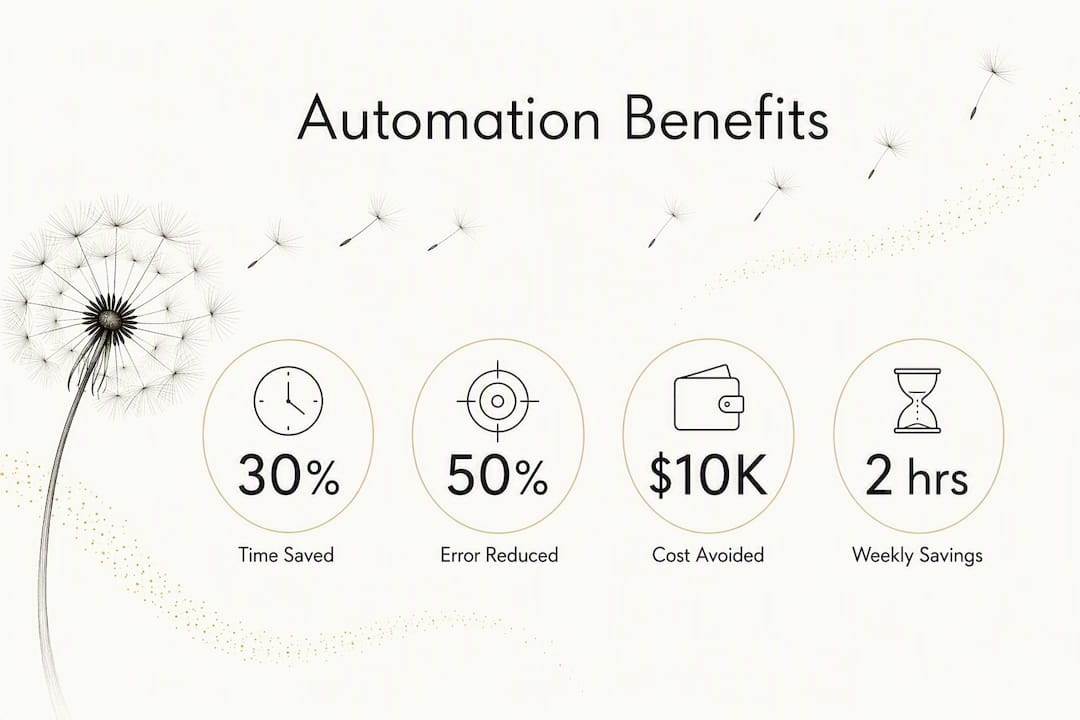
Error reduction is measured by error rate per transaction. Data entry errors, missed approvals, and misfiled records all carry a cost: rework time, customer complaints, and compliance exposure. Rule-based automation eliminates the most common class of errors entirely.
Cost avoidance is often the most compelling number for owners. The formula is straightforward: multiply the cost of a task by its frequency, then subtract the cost of the automated solution.
For a concrete example: if a team member spends two hours per week on data reconciliation at a fully loaded cost of $35 per hour, that is $3,640 per year. A workflow tool that costs $600 per year and takes 20 hours to set up at the same rate ($700) pays for itself in year one with roughly $2,340 in net savings, and the savings compound every year after.
IBM highlights a real-world outcome from automated financial close processes: one customer saved $40,000 per quarter by removing manual steps from quarterly close. That figure is not typical for a micro-business, but the principle scales down cleanly.
KPIs to monitor after you go live:
- Cycle time per process (before vs. after)
- Error rate per 100 transactions
- Cost per transaction
- Lead response time (for sales automations)
- Employee hours redeployed to higher-value work
- Customer satisfaction scores tied to automated touchpoints
Pro Tip: Set your baseline metrics before you launch the pilot. Without a “before” number, you cannot prove the “after” value, and you will struggle to get budget for the next phase.
Tracking business growth strategies alongside automation KPIs helps you connect operational improvements to revenue outcomes, which is the conversation that gets leadership attention.
Which tasks should you automate first?
These tasks represent some of the highest-frequency, most standardized work across small businesses. Low-risk, high-frequency tasks marked with an asterisk (*) are ideal first pilots because they are easy to scope, easy to measure, and easy to roll back.
Sales
- Lead capture from web forms to CRM*
- Lead scoring and assignment*
- Follow-up email sequences after demos
- Contract generation from CRM data
- Pipeline stage updates based on activity
Marketing
- Welcome email series for new subscribers*
- Social media post scheduling*
- Abandoned cart reminders
- Review request emails after purchase
- Campaign performance reporting
Finance
- Invoice generation and delivery*
- Payment reminders*
- Expense report routing and approval
- Subscription billing and renewals
- Monthly financial report compilation
HR
- Job application acknowledgment emails*
- Onboarding document delivery and collection*
- PTO request routing and approval
- Employee anniversary and review reminders
- Payroll data aggregation
Operations
- Order confirmation and shipping notifications*
- Inventory reorder alerts*
- Support ticket routing by category
- Meeting scheduling and calendar sync
- Internal status update reports
A sample workflow in plain English
A prospect fills out a contact form on your website. The form submission triggers your CRM to create a new contact record and run a lead score based on company size and source. If the score exceeds your threshold, the lead is assigned to a sales rep and a task is created in their queue. Simultaneously, the contact enters a three-email nurture sequence spaced over five days. If the rep does not log activity within 48 hours, a reminder notification fires. Every step runs without anyone touching a keyboard.
Two quick templates
Email trigger example: Trigger: Form submitted on /contact. Action: Send “Thanks for reaching out” email immediately. Delay 24 hours. Send “Here’s what to expect next” email. Add to CRM list “New Inquiry.”
Approvals routing rule: Trigger: Expense report submitted. Condition: Amount > $500. Action: Route to department manager for approval. If not approved within 48 hours, escalate to finance director.
For a deeper look at marketing automation specifically, the use cases extend well beyond email into ad retargeting, lead nurturing, and customer segmentation.
How do you plan and prioritize automation projects?
The most common planning mistake is trying to automate everything at once. A prioritization framework keeps you focused on the work that delivers real value first.
The impact vs. effort matrix
Place each candidate process on a two-axis grid. The vertical axis is impact (time saved, error reduction, revenue effect). The horizontal axis is effort (complexity, integration requirements, change management burden). Four quadrants result:

| Quadrant | Impact | Effort | Decision |
|---|---|---|---|
| Quick wins | High | Low | Automate first, 30-day pilot |
| Strategic projects | High | High | Plan carefully, 30-day pilot |
| Fill-ins | Low | Low | Automate when convenient |
| Avoid | Low | High | Skip or defer indefinitely |
Start every automation program in the top-left quadrant. A single quick win builds confidence, surfaces integration issues early, and gives you a real ROI number to justify the next project.
Pilot checklist
Before you start building, confirm these items are in place:
- Scope: One process, clearly bounded, with a defined start and end trigger.
- Success metrics: Two or three specific KPIs with baseline values already recorded.
- Rollback plan: A documented manual fallback if the automation fails.
- Stakeholder list: Process owner, IT or developer contact, and at least one end user involved in testing.
- Test data: A set of realistic test cases that cover normal flow and at least two exception scenarios.
- Timeline: A fixed end date for the pilot evaluation, typically 30 days.
Governance basics
Once you move beyond a single pilot, governance prevents the sprawl that kills automation programs:
- Assign a named process owner for every automated workflow.
- Require a change log entry for any modification to a live automation.
- Schedule quarterly reviews to retire automations that no longer match the underlying process.
- Define escalation paths for exceptions the automation cannot handle.
- Get security and compliance sign-off before connecting any automation to systems that hold customer or financial data.
Scaling a business with automation requires this governance layer early. Without it, you end up with dozens of disconnected tools that no one fully understands.
How do you choose the right automation tools?
Selection criteria matter more than brand names. Evaluate every tool against these eight dimensions before committing.
- Ease of use / learning curve: Can a non-developer build and maintain workflows? Low-code and no-code interfaces reduce dependency on technical staff.
- Integration ecosystem: How many native connectors does the tool offer? Native beats custom API work for speed and maintenance.
- Pricing model: Per-user, per-task, or flat subscription? Understand how costs scale as your usage grows.
- Scalability and deployment: Cloud-native tools deploy faster; on-premises options give more control. Most SMBs start cloud-first.
- AI and intelligent automation capabilities: Does the tool support document processing, decisioning, or ML models? Useful for higher-complexity tasks.
- Security and compliance: Look for SOC 2 Type II certification, role-based access controls, and audit logging as baseline requirements.
- Support and community: Active user communities, prebuilt template libraries, and responsive vendor support reduce time-to-value.
- Vendor marketplace: A marketplace of prebuilt integrations and partner solutions extends the platform without custom development.
Vendor spotlights
IBM. IBM’s automation portfolio spans RPA, BPA, AI-powered document processing, and process mining under a unified platform. Best for mid-market and enterprise teams that need end-to-end process orchestration with strong AI capabilities and compliance controls.
Zapier. A no-code workflow tool that connects over 6,000 apps through a trigger-action model. Best for small businesses that need to link SaaS tools quickly without developer help. The learning curve is genuinely low, and prebuilt “Zaps” cover most common SMB workflows out of the box.
Keap. A CRM and marketing automation platform built specifically for small businesses. Best for service-based businesses that want sales pipeline management, follow-up sequences, and invoicing in one place without stitching together separate tools.
Microsoft Power Automate. Part of the Microsoft Power Platform, it offers cloud flows (DPA), desktop flows (RPA), and process mining in one environment. Best for businesses already running Microsoft 365 or Dynamics, where native connectors eliminate most integration work.
UiPath. An enterprise-grade RPA and intelligent automation platform with a large global community and extensive marketplace. Best for organizations with legacy systems that require keystroke-level automation and teams that want a structured development environment.
Automation Anywhere. A cloud-native RPA and intelligent automation platform with strong AI document processing capabilities. Best for businesses that need to automate high-volume, document-heavy processes and want a SaaS deployment model.
Integration notes for SMBs
Native connectors are almost always the right starting point. They are faster to configure, maintained by the vendor, and require no custom code. When a native connector does not exist, check whether the target system offers a REST API before building anything custom. Identity and access management (IAM) deserves attention early: every integration should use a service account with the minimum permissions required, not a personal login.
For most small businesses, a SaaS-first approach with a tool like Zapier or Keap covers 80% of use cases. As complexity grows, a platform like Microsoft Power Automate or UiPath provides the orchestration layer that point tools cannot. A boutique integrator makes sense when your processes are highly customized and you lack internal technical capacity.
Website automation tools for entrepreneurs covers a broader set of tools useful for connecting your website, CRM, and marketing stack into a single automated system.
What does a realistic implementation roadmap look like?
Six phases cover every automation project from discovery to ongoing measurement. The durations below reflect typical SMB timelines; enterprise projects run longer at each phase.
| Phase | Duration | Primary Owner | Key Deliverable |
|---|---|---|---|
| Discover | 1–2 weeks | Process owner + analyst | Process map, baseline metrics, pilot candidate list |
| Design | 1–2 weeks | Process owner + developer | Workflow diagram, exception rules, success criteria |
| Build | 1–3 weeks | Developer + process owner | Working automation in staging environment |
| Test | 1–2 weeks | QA + end users | Test results, exception handling confirmed, rollback tested |
| Deploy | 1 week | Developer + IT | Live automation with monitoring alerts active |
| Measure | Ongoing | Process owner | KPI dashboard, monthly review cadence |
Phase notes:
Discover is where most projects succeed or fail. If you cannot map the current process in plain text, including every decision point and exception, the build phase will surface surprises that cost time and money.
Design should produce a workflow diagram that a non-technical stakeholder can read and approve. If the diagram requires a developer to explain it, simplify it.
Build in a staging environment first, always. Testing against live data before the automation is validated is one of the most common and costly mistakes.
Measure is not a phase you complete. Set a recurring calendar event for monthly KPI reviews and quarterly process audits. Automations drift as the underlying business changes, and an unreviewed automation can silently produce wrong outputs for months.
For a practical overview of business systems design that supports this kind of phased rollout, the principles of modular, documented systems apply directly.
What are the most common automation mistakes, and how do you avoid them?
Most automation failures are predictable. Here are the patterns to watch for and the mitigations that work.
Automating a broken process. Automating an unoptimized workflow produces faster, automated chaos. Document and standardize the manual process first. If you cannot write down every step and decision in plain language, the automation will not execute reliably either.
Point-solution sprawl. Buying a separate tool for every problem creates a fragmented stack that no one fully owns. Each new tool adds a maintenance burden, a security surface, and an integration dependency. Prefer platforms with broad connector ecosystems over single-purpose apps.
Ignoring exception handling. Every process has edge cases. An automation that handles 90% of cases and silently fails on the other 10% creates hidden errors that are harder to find than manual mistakes. Map your exceptions before you build, and design explicit paths for them.
Skipping human-in-the-loop design. Full autonomy is not always the goal, especially for compliance-sensitive or high-value decisions. Build approval gates and human checkpoints into any workflow where an automated error would be costly or hard to reverse.
Missing governance from the start. Without a named owner and a change log, automations accumulate undocumented modifications until no one knows what they actually do. Assign ownership on day one.
Security and compliance checklist
Before connecting any automation to production systems, verify:
- Data in transit and at rest is encrypted (TLS 1.2+ minimum).
- Service accounts use the principle of least privilege.
- Audit logs capture every automated action with a timestamp and user/system identifier.
- The vendor holds SOC 2 Type II certification at minimum; ISO 27001 for regulated industries.
- Access is reviewed and revoked promptly when team members change roles.
Change management and adoption
The technology is rarely the hard part. People are. Give your team advance notice of what is changing and why. Involve end users in the testing phase so they trust the output. Identify one internal champion per department who can answer questions and surface issues early. Reskilling is not about replacing jobs; it is about redirecting the hours that automation frees toward work that requires judgment, relationships, and creativity.
Why orchestration matters more than individual tools
BPM is the strategic discipline for modeling and optimizing end-to-end processes; BPA and RPA are the technical tools you use inside that practice. Treating them as the same thing leads to a common mistake: buying automation tools without a process strategy, then wondering why the results are fragmented.
Orchestration is what connects individual automations into a coherent system. Without it, you end up with a Zapier workflow that does not know what your CRM is doing, an RPA bot that does not talk to your ERP, and a reporting tool that pulls from neither. Each tool works in isolation; the business process still requires manual handoffs to bridge the gaps.
The cost of that fragmentation compounds over time. Every new tool adds a vendor relationship, a renewal date, a security review, and a maintenance burden. A centrally orchestrated platform, even a modest one, reduces all of those costs while giving you a single place to monitor what is running and what is failing.
“Avoid point-solution buying. Focus on orchestration to connect tools, reduce silos, and lower long-term maintenance costs.” — ServiceNow on BPA and orchestration
A practical illustration: a small professional services firm built separate automations for lead capture (Typeform to Gmail), invoicing (manual QuickBooks entry), and project kickoff (a checklist in Asana). Each worked individually. But when a client paid an invoice, no signal reached the project tool, so kickoffs were delayed by two to three days while someone manually checked payment status. One orchestration layer connecting the three tools eliminated the delay entirely and removed a daily manual check from the operations manager’s routine.
Pro Tip: Before buying any new automation tool, require that it offers a documented REST API or native connector to your existing stack, and test the connection in a staging environment before committing to a contract.
AI workflow design covers how to structure these connected systems so they remain maintainable as your business grows.
How does business automation differ from digitization?
These two terms are often used interchangeably, and that confusion leads to real planning errors. Digitization means moving paper-based or analog information into a digital format: scanning invoices, converting spreadsheets to a database, or putting a paper form online. The human steps remain; only the medium changes.
Business automation goes further: it removes the manual steps themselves. A digitized invoice approval process means the invoice is a PDF instead of paper, but someone still emails it, someone still reviews it, and someone still enters the approval into a system. An automated invoice approval process means the PDF is read by software, matched to a purchase order, routed to the right approver based on amount, and logged in the accounting system without anyone touching it.
The distinction matters for planning. Digitization is a prerequisite for automation in many cases, but completing digitization does not mean you have automated anything. If your team is still doing the same manual steps on a screen instead of on paper, you have digitized. When the software executes those steps on its own, you have automated.
How does automation affect workforce roles and skills?
Automation does not eliminate jobs uniformly. It eliminates specific tasks within jobs, which reshapes what those roles require. Data entry, report generation, and routine approvals are the first to go. What remains, and what grows in value, is judgment, communication, relationship management, and the ability to design and oversee automated systems.
The practical effect for small businesses is that the same headcount can handle more volume. A two-person finance team that automates invoice processing and expense routing can manage a significantly larger transaction load without adding staff. The team’s time shifts toward analysis, vendor relationships, and exception handling rather than data entry.
Skills that increase in value as automation spreads: process documentation, data literacy, prompt engineering for AI tools, and the ability to configure and troubleshoot no-code workflow tools. None of these require a computer science degree. Most can be developed through focused practice with the tools themselves.
The change management challenge is real. Employees who have done a task manually for years may feel threatened by automation, even when the intent is to free them for better work. Transparent communication about what is changing, why, and what the redeployed time will be used for is not optional. It is the difference between a team that adopts automation and one that works around it.
AI adoption for small business owners addresses the human side of this transition in practical terms, including how to frame the conversation with your team.
Key Takeaways
Business automation delivers the most value when you start with one well-documented, high-frequency process, measure the outcome, and expand from there using a central orchestration layer rather than isolated point tools.
| Point | Details |
|---|---|
| Start with one pilot process | Choose a high-frequency, low-risk task, document it fully, and measure cycle time and error rate before and after. |
| Use the impact vs. effort matrix | Prioritize quick wins (high impact, low effort) for your first 30-day pilot to build confidence and prove ROI. |
| Orchestration beats point solutions | Connect tools through a central platform or API layer to avoid silos, reduce maintenance costs, and keep processes visible. |
| Measure every phase | Track cycle time, error rate, and cost per transaction from day one; without a baseline, you cannot prove value or justify the next project. |
| Moderatemurmurations for done-for-you setup | Moderatemurmurations sets up AI-assisted workflows and digital systems for small businesses, so you get a working automation stack without building it yourself. |
The part most automation guides skip
The conversation around business automation tends to focus on tools: which platform, which connector, which pricing tier. That framing misses the harder problem, which is process clarity.
Most small businesses that struggle with automation are not struggling because they chose the wrong tool. They are struggling because they tried to automate a process that was never fully defined. The automation faithfully executes the confusion that was already there, just faster.
The businesses that get real results from automation share one habit: they document the process manually before they touch any software. Not a flowchart for a consultant’s slide deck, but a plain-text description of every step, every decision, and every exception, written by the person who actually does the work. That document becomes the specification for the automation. If the document is incomplete, the automation will be incomplete in exactly the same places.
The second thing those businesses do is resist the urge to automate everything at once. A single working automation that saves four hours a week is worth more than five half-built automations that require constant manual intervention. The “crawl, walk, run” approach is not just a metaphor; it is a practical risk management strategy. Each phase builds the organizational knowledge and trust that makes the next phase faster.
The workforce dimension deserves more attention than it usually gets. Automation does not make people redundant in most small business contexts; it makes them more capable. The team member who used to spend three hours a day on data entry and now spends that time on client relationships is not a casualty of automation. They are the point of it.
Moderatemurmurations builds your automation stack for you
Spending weeks evaluating tools, configuring integrations, and debugging workflows is time most small business owners do not have. Moderatemurmurations offers a faster path: done-for-you AI-assisted automation setup, digital systems design, and website integration, built specifically for small businesses, service providers, consultants, and creators who need a working system, not a project.

The service covers AI workflow setup, CRM and lead flow integration, automated follow-up sequences, and the digital infrastructure that connects your website to your operations. If your business runs on manual processes that could be automated, or if you have tools that do not talk to each other, that is exactly the problem Moderatemurmurations is built to solve. No long agency retainer, no six-month implementation timeline.
Book a free consultation to map out which processes in your business are ready to automate and what a working system would look like for your specific situation.
Useful sources for further reading
- IBM: What Is Business Automation? — IBM’s foundational explainer covering definitions, types, and use cases; a reliable starting point for understanding the full scope of automation.
- IBM: What Is Business Process Automation? — Deeper coverage of BPA specifically, including how it integrates RPA, workflow orchestration, and AI into end-to-end process automation.
- ServiceNow: What Is Business Process Automation? — ServiceNow’s definition and positioning of BPA within digital transformation; useful for understanding orchestration and platform thinking.
- Appian: BPM vs. BPA — Clear guidance on the strategic distinction between Business Process Management and Business Process Automation; essential reading before you design a governance model.
- Automation Anywhere: Business Automation — Vendor documentation covering RPA use cases, intelligent automation capabilities, and selection guidance for cloud-native deployments.
- Microsoft Power Automate — Official product page covering cloud flows, desktop RPA, process mining, and AI features; the reference for Microsoft 365 users evaluating native automation options.
- NetSuite: How to Automate Business Processes — Practical implementation guidance with a strong emphasis on documenting processes before automating; useful for the planning and pitfalls sections.
- Salesforce: Business Process Automation — Salesforce’s overview of automation strategy, including the “crawl, walk, run” framework and guidance on scaling from pilot to enterprise deployment.