AI Workshops for Small Businesses: Hands-On and Implementation-First
AI Workshops for Small Businesses: Hands-On and Implementation-First

An implementation-first AI workshop is a consultant-led, hands-on session that ends with a working workflow or publishable deliverable, not a slide deck. You leave with something built, tested, and ready to use in your business.
Here is what to know before you book:
- What it is: A structured, live session where a consultant maps your workflow, builds or configures AI tools with you, and hands off a working system before the session ends.
- Typical outcomes: Prompt templates, a documented workflow, a Zapier or Notion integration, and a short implementation plan you can act on immediately.
- Fastest next step: Book a free consult or start with a low-cost readiness audit to identify your highest-ROI workflow before committing to a full session.
Key Takeaways
A consultant-led AI workshop ships one working workflow in a single session, making it the fastest path from “AI could help my business” to “AI is running in my business.”
| Point | Details |
|---|---|
| Implementation over information | You leave with a built, tested workflow, not slides or theory. |
| Single-workflow focus pays off | Scoping one high-ROI process per session produces complete, usable results. |
| Pricing starts accessible | A readiness audit runs around $297. |
| Preparation determines output | Bring account access, content samples, and a decision-maker to maximize session time. |
| Moderatemurmurations builds with you | Tool-agnostic, documented handoff, free consult to start. |
Table of Contents
- What do AI workshops actually cover?
- Who should book an AI workshop, and what can you realistically expect?
- What does a workshop cost, and how long does implementation take?
- How should you prepare before the workshop?
- A brief example: from workshop to working system
- How do you choose the right workshop provider?
- What does good post-workshop support look like?
- Why implementation-first workshops work better for small teams
- Moderatemurmurations’ AI workshop service
- Sources
What do AI workshops actually cover?
The best sessions follow a clear arc: intake, discovery, live build, integration, and handoff. Here is how that looks across common formats.
Sample half-day agenda (4 hours)
- Hour 1: Intake and workflow audit. You walk the consultant through your current process, tools, and pain points.
- Hour 2: Live prompt and design work. The consultant builds and tests prompts or automation logic with you in real time, using tools like ChatGPT, Google Gemini, Zapier, or Notion.
- Hour 3: Integration sketch and build. The working draft gets connected to your actual stack.
- Hour 4: Handoff, documentation, and next steps. You receive a workflow diagram, prompt templates, and a short implementation plan.
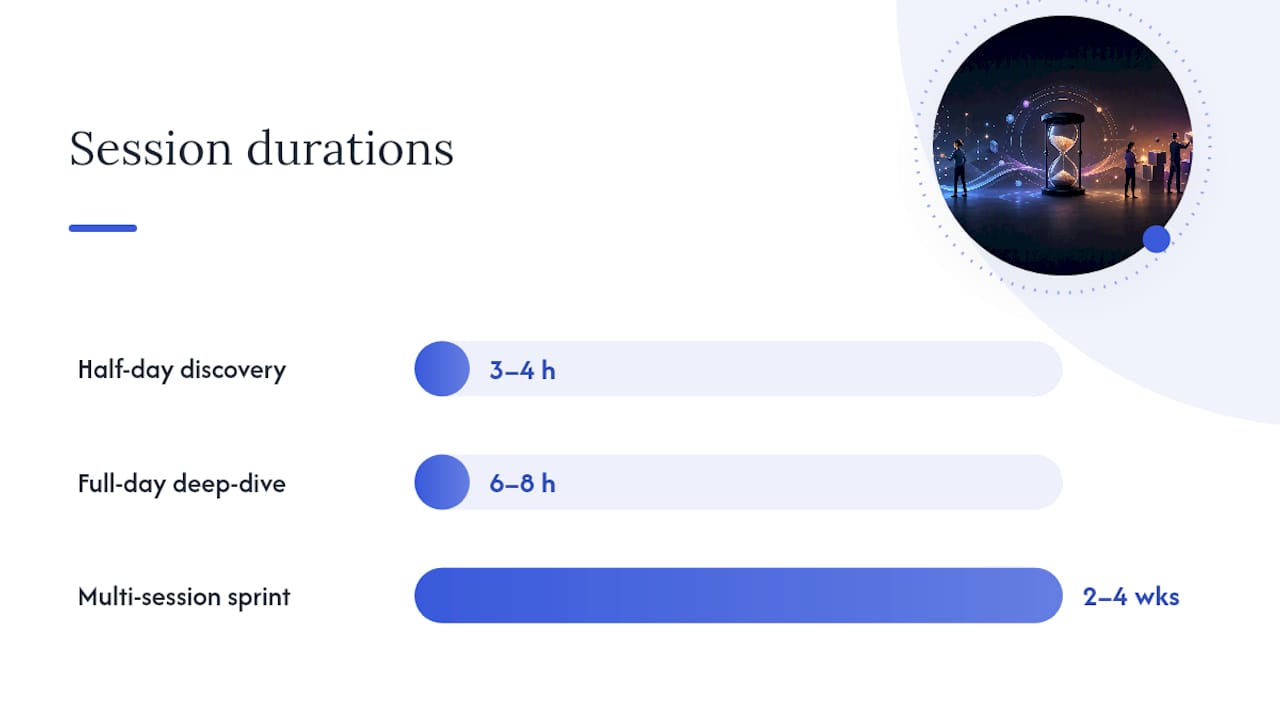
A full-day session adds a second workflow, deeper integration work, and time for your team to practice independently. A multi-session sprint runs two to four weeks and ships one complete, live automation connected to your stack, as demonstrated by fixed-scope four-week implementation sprints that hand off a working system without requiring outside engineering support.
Deliverables you leave with:
- Working prompt templates (brand voice, content, outreach)
- A before/after workflow diagram
- Integration checklist for your tool stack
- Short written implementation plan
- Training notes for your team
A focused half-day discovery on a single workflow can produce a prioritized recommendation and a before/after workflow brief that is ready to build the same day.
| Format | Duration | Best for | Key artifact |
|---|---|---|---|
| Half-day discovery | 3–4 hours | One workflow, first-time clients | Workflow brief, prompt set |
| Full-day deep-dive | Full day (6–8 hours) | Two workflows, small teams | Full workflow diagram, integration checklist |
| Multi-session sprint | 2–4 weeks | Complete implementation, live automation | Live automation, handoff documentation |
Who should book an AI workshop, and what can you realistically expect?
This format works best for people who need a working system, not a lecture. The right fit includes:
- Small business owners who want AI in their website, content, or client intake process
- Creators and coaches building content workflows or lead nurture sequences
- Wellness brands that need consistent copy and automated follow-up
- Service providers with repetitive operational tasks (scheduling, onboarding, reporting)
After a well-run session, you can expect a working automation or prompt system, publish-ready copy templates, documented handoff notes your team can follow, and measurable time savings on at least one recurring task. AI lead outreach and CRM automations are among the most common high-ROI projects small teams prioritize for speed-to-value.
Who this is not for: If you want to learn machine learning theory, study NLP, or earn a coding certification, a consultant-led workshop is the wrong format. Those are separate programs with a different audience.
Live, role-specific, instructor-led training outperforms self-paced courses for workplace behavior change, with self-paced MOOC completion historically low compared to substantially higher completion in consultant-led formats. Operations teams benefit most when training is hands-on, role-specific, and tied to real operational data and tooling.
What does a workshop cost, and how long does implementation take?
Pricing varies by scope, but here are realistic U.S. ranges:
A productized three-week sprint starting at $4,995 configures your stack and ships working workflows rather than slide decks. Consultant-led programs for organizations commonly range from roughly $15,000 to $50,000 depending on scope, with completion rates substantially higher than self-paced courses.
Primary cost drivers:
- Number of workflows and integrations in scope
- Data access complexity (API keys, CRM connections)
- Number of attendees and follow-up support hours
- Whether a readiness audit precedes the build session
Timeline from booking to live implementation:
- Readiness audit: 1–3 days to complete, written plan delivered within a week
- Half-day or full-day session: deliverables same day, implementation live within 1–2 weeks
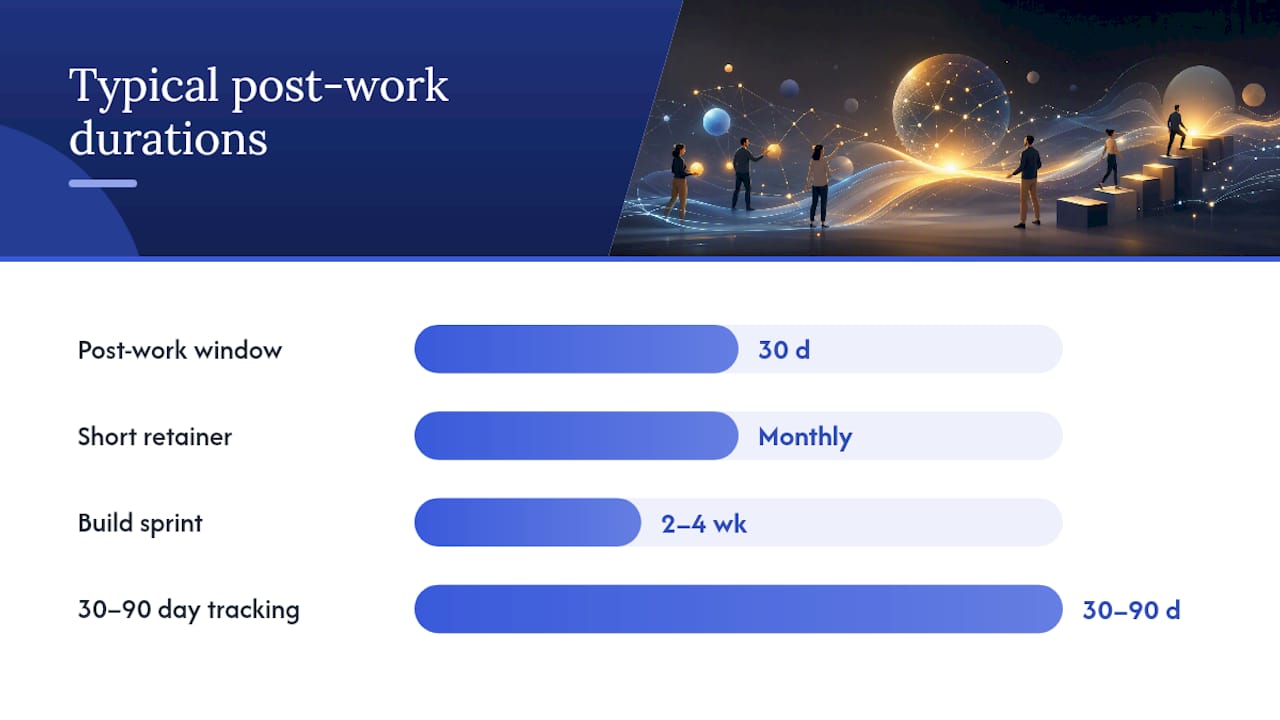
- Multi-session sprint: 2–4 weeks to live automation, 30-day post-work support window typical
Most providers require a deposit (commonly 50%) at booking, with cancellation policies that allow rescheduling within a set window (often 48–72 hours) and partial refunds for cancellations outside that window.
How should you prepare before the workshop?
Preparation directly determines how much you get done in the session. Come ready with:
- Account access: CMS login, email platform, CRM, Zapier or Make account, and any API keys you plan to use
- Content examples: Three to five samples of your existing copy, emails, or workflows so the consultant can match your voice and process
- A shared workspace: A Notion workspace or Google Drive folder where deliverables will live
- The right people in the room: Owner or decision-maker, operations lead, and the person who will own the workflow after handoff
Keep security simple: share credentials through a password manager like 1Password or Bitwarden rather than email, and revoke any temporary access after the session.
Pro Tip: Pick one workflow before the session and commit to it. The most productive workshops ship one high-ROI process completely rather than touching five things lightly. If you are unsure which workflow to choose, a readiness audit will tell you.
A brief example: from workshop to working system
A wellness brand offering one-on-one coaching came in with a clear problem: writing weekly newsletters took three hours per issue, and the tone was inconsistent across team members. The chosen workflow was content creation, specifically a repeatable prompt system for newsletter drafts.
During the session, the consultant audited two existing newsletters, extracted the brand voice patterns, and built a structured ChatGPT prompt template that produced a publish-ready draft from a short brief. By hour three, the template was live in Notion, connected to a simple Zapier trigger that pulled the weekly topic from a shared content calendar. The client’s team tested it twice before the session ended.
The immediate outcome: newsletter drafts went from three hours to under 30 minutes, with consistent tone across all writers. The client’s next step was a two-week follow-up sprint to apply the same prompt logic to social captions and email sequences, building on the automation principles that support scaling across content-heavy businesses.
Pro Tip: Document the prompt template and workflow diagram in a shared Notion page the same day. Teams that skip this step often rebuild from scratch within 60 days when staff changes.
How do you choose the right workshop provider?
Not every provider delivers the same thing. Use these criteria to evaluate your options.
Selection criteria:
- Delivery model: implementation-focused (you leave with something built) versus advisory (you leave with recommendations)
- Portfolio: can they show a before/after workflow document or a sample deliverable?
- Handoff quality: do they document what they built so your team can maintain it?
- Post-work support: is there a defined window for questions after the session?
Questions to ask before booking:
- “Can you show me a one-page before/after workflow from a past session?”
- “What tool stack will you use, and do you work with what I already have?”
- “Who owns the credentials and data after the session?”
- “What does the handoff document look like?”
- “What happens if I need help implementing after the session ends?”
Trust signals to look for: named deliverables listed on the service page, author expertise with a named consultant (such as Christopher at Moderatemurmurations), client testimonials tied to specific outcomes, and a clear agenda published before you pay.
Red flags: vague deliverables (“we will discuss your AI strategy”), purely slide-based outcomes, no mention of post-work support, and pricing with no scope definition.
What does good post-workshop support look like?
The session is the start, not the finish. Strong providers offer a defined post-work window, typically 30 days, for questions, bug fixes, and light iteration on what was built.
Common next-step engagement paths:
- Documentation and templates package: A written guide and prompt library your team can use independently
- Short retainer: Monthly check-ins to stack additional automations as your needs grow
- Build sprint: A focused two-to-four-week engagement to scale the first workflow into a full system
Metrics worth tracking in the first 30–90 days:
- Time saved per week on the automated task (compare before/after manually for two weeks)
- Lead response time if you automated outreach or intake
- Content throughput: how many pieces published per week versus before
First 30–90 day checklist:
- Week 1: Test the workflow daily, note any friction points
- Week 2: Assign a named owner for the workflow and document their responsibilities
- Month 1: Schedule a 30-minute review with your consultant or team
- Month 2–3: Identify the next highest-ROI workflow and plan the next session
For deeper guidance on AI coaching and ongoing support after a workshop, Moderatemurmurations covers the most common follow-up structures for small teams.
Why implementation-first workshops work better for small teams
Generic AI courses have a completion problem. Self-paced formats historically see completion rates around 5%, and even well-designed online programs rarely produce behavior change in a working team. The reason is structural: watching a video about Zapier does not get your Zapier workflow built.
What changes the outcome is constraint. A consultant-led session with a fixed agenda, a real deliverable on the line, and a named person responsible for the handoff creates the conditions where work actually gets done. Small business owners and creators do not need more information about AI. They need someone to sit with them, map their specific workflow, and build the thing.
The NIST AI Risk Management Framework’s guidance on role-based competency points in the same direction: training that is tied to a specific role and a specific task produces measurably better results than general awareness programs. For a wellness brand or a solo service provider, that means one workflow, one session, one working system.
The gap between “I know AI could help me” and “AI is running in my business” is almost never a knowledge gap. It is a doing gap. A well-run workshop closes it in a day.
Moderatemurmurations’ AI workshop service
Moderatemurmurations runs implementation-first AI workshops built around one workflow at a time. You get a working system, not a presentation. Every session is tool-agnostic, meaning we work with what you already have: ChatGPT, Google Gemini, Zapier, Notion, or your existing CMS. The handoff is documented, your team is trained, and you own everything built.

Sessions start with a free consult to scope your highest-ROI workflow. If you want a written plan before committing to a full session, a paid readiness audit maps your automation opportunities and delivers a prioritized recommendation. Deposit required at booking; rescheduling available within 48 hours.
Who benefits most:
- Service providers with repetitive intake or onboarding tasks
- Creators who need a consistent, fast content workflow
- Wellness brands building automated follow-up and copy systems
- Small business owners who want AI in their website and operations without hiring a developer
Book a free consult and leave the first session with something live.
Sources
- AI Implementation Sprint — 4 Weeks to Live Automation | Applied Agency AI
- Services | Arquin | AI Workshops, Readiness Reviews & Diagnostics – Arquin
- Is Hands-On AI Training Better Than Self-Paced Courses?
- AI Consulting & Training for B2B Teams | Sophizo
- AI Training Consultant vs. Self-Serve Platforms: Which Delivers Better Results?
- AI Lead Outreach Automation for Small & Large Teams
- Why operations teams need AI training to succeed